Create an account and sign in
Set up a free barValid account — the prerequisite for Satellite and for devices on a volume license.
For plain scanning you do not need an account — barValid validates barcodes without one. A free account only becomes necessary once you want to send barcodes to your PC or when your company runs a volume license and wants to see the scans in the web dashboard.
Signing up takes two minutes and all you need is an e-mail address.
What you need
- The barValid app on your phone
- An e-mail address
- Two minutes
Step by step
-
Open the menu
Start barValid and tap the menu icon (the three lines) at the top. The list of all areas of the app opens. -
Go to the sign-in screen
Tap Satellite in the menu. At the top it says “Not signed in”, with a Log in button next to it. Tap that. -
Switch to “Register”
You are now on the sign-in screen. Since you do not have an account yet, tap No account yet? Register at the bottom. -
Fill in the form
Enter:- E-mail — confirmations and, if ever needed, your new password go to this address.
- Username — your choice.
- Password — ideally one you do not already use somewhere else.
-
Register and sign in
Tap Register. Then sign in with the same e-mail address and your password. -
Check that it worked
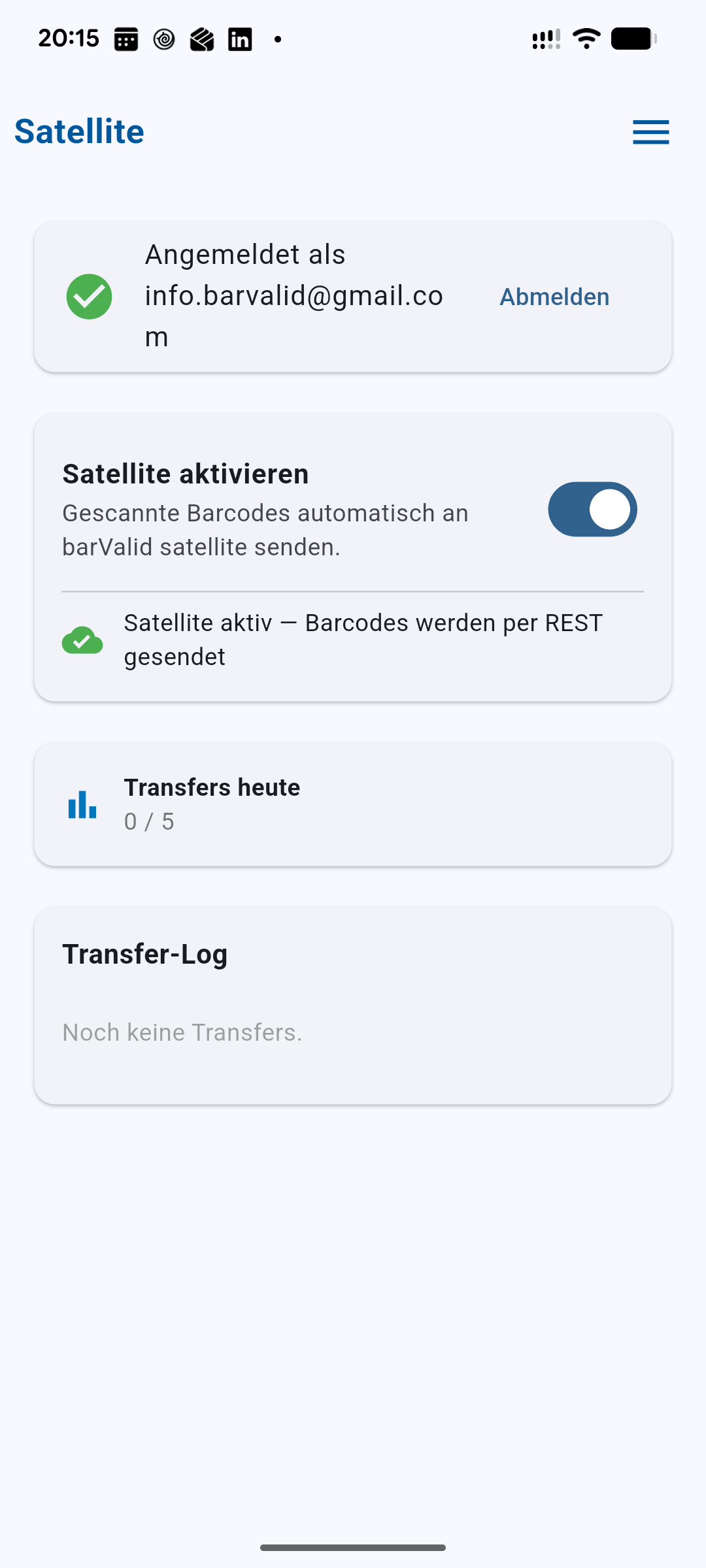
Go back to Menu → Satellite. If it says “Signed in as” with your e-mail address and a green tick, you are done.Signed in — as shown on the Satellite screen
Done — that’s all there is to it.
Frequently asked questions
Does the account cost anything?
No. The barValid account is free, whether you use the free version or barValid Pro.
Do I need an account to scan?
No. Scanning, decoding, the AI database and the structure editor all work without one. An account is only
needed to send barcodes to your PC and for the
web dashboard that comes with volume licenses.
Can I use the same account on several devices?
Yes — that is exactly how sending barcodes to a PC works: phone and PC sign in with the same account.
I forgot my password.
Tap Forgot password? on the sign-in screen and enter your e-mail address. You will receive a mail that lets you set a new one.
What happens to my data?
We only store what running the service requires. Exactly what that is can be found in our
privacy policy.